
Hunting for the best budget TVs shouldn’t mean losing out on quality. You deserve stunning 4K visuals without the shocking price tag. We tested today’s most affordable models to find incredible screens that transform your home for less. Whether you love gaming or movie nights, our guide reveals the ultimate value picks that actually perform. Let’s look at the top smart screens that save you money.
Top 5 Budget TVs:
1. TCL QM6K Series – Best Budget TV Overall

Take a look at the TCL 55″ QM6K if you’re in the market for an affordable TV that won’t give the impression that you skimped on quality. Whether you’re watching a major game, playing a game, or binge-watching a TV, the TCL QD-Mini LED tech makes it feel much more expensive than it actually is.
The trick is in the combination of two technologies: the very accurate Mini LEDs, which provide brilliant highlights and darker shadows, and the vibrant Quantum Dot color system, which offers over a billion different shades.By enhancing shadow detail and using advanced local dimming, the filmmakers were able to keep bright things from blossoming into halos and reveal the stuff they purposefully buried in the corners. That means the picture is more accurate overall, with deeper blacks, crisper highlights, and no unpleasant glow around bright objects.
No more squandering pixels on a screen that can’t do justice to modern material thanks to 4K clarity. You can keep up with the action instead of staring at a smeary mess thanks to the high refresh rate, which is especially useful in fast-paced situations like sports, action sequences, or rapid camera pans.
You get quick access to your apps and streaming media with Google TV integrated in, and the Onkyo audio system enhances the sound quality immediately.The QM6K is an affordable TV that looks and acts like it’s out to shame more expensive models.
2. LG OLED B5 Series – Best Budget OLED TV

The LG OLED B5 is the perfect compromise between price and performance if you’re looking for an affordable OLED that makes a noticeable improvement. With the help of the Alpha 8 AI Processor Gen2, it can identify what you’re watching and adjust the audio and picture settings accordingly, so you can spend less time fiddling with the menus and more time enjoying your TV.
Here, OLED is where it’s at. You get Deep, Inky Shadows and Punchy Highlights—thanks to more than 8.3 million self-lit pixels—that make everything look more cinematic, even when the room isn’t totally black.Also included is movie night. To prevent your beloved films from being “soap opera’d” by random processing, FILMMAKER MODE maintains the look faithful to the director’s intention while Dolby Vision enhances colors, contrast, and brightness and Dolby Atmos provides that immersive audio experience.
And we’ve got you covered if gaming is your form of rehabilitation. With features like VRR, NVIDIA G-Sync, and AMD FreeSync Premium, you can enjoy tearing-free gaming on a screen with a refresh rate of up to 120 Hz and a response time of 0.1 ms. You can connect your console, computer, speaker, and streaming box all at once thanks to the four HDMI 2.1 connectors.Without asking for premium OLED pricing, the B5 offers real OLED enchantment, intelligent AI polish, and significant gaming capabilities.
3. Samsung Q60D Series – Best Budget TV for Picture Quality

The Samsung Q60D is an excellent choice if you’re looking for a cheap TV that gives the impression of having a more expensive set. It offers high picture quality without breaking the bank. So dark pictures appear richer, brilliant scenes remain bright, and you spend less time staring at washed-out shadows thanks to Samsung’s Dual LED backlight feature, which helps the contrast adapt to what you’re seeing.
This TV is most proud of its color capabilities. So, sunsets seem warmer, jerseys pop, and animated movies don’t dissolve into a boring color soup—all thanks to Quantum Dot technology and 100% Color Volume, which give over a billion shades that remain vivid even when the screen gets bright.
Behind the scenes, the Quantum Processor Lite 4K is hard at work automatically upscaling your content to near-4K sharpness and refining the sound as it goes. That way, you won’t have to treat finding “the perfect settings” as a side quest; your older streams and regular TV can seem cleaner.
Also, the motion remains fluid. To avoid smearing in fast-paced action scenes, sports, and camera pans, Motion Xcelerator lessens blur and enhances frame transitions. Plus, Object Tracking Sound Lite enhances the immersion of intense moments like chases, parties, and pandemonium by adding a 3D-style effect that tracks the on-screen action.With the Q60D, your everyday watching experience feels like a true upgrade—bright colors, better contrast, smoother action, and a sleek appearance.
4. TCL QM7K Series – Best Budget TV for Bright Rooms
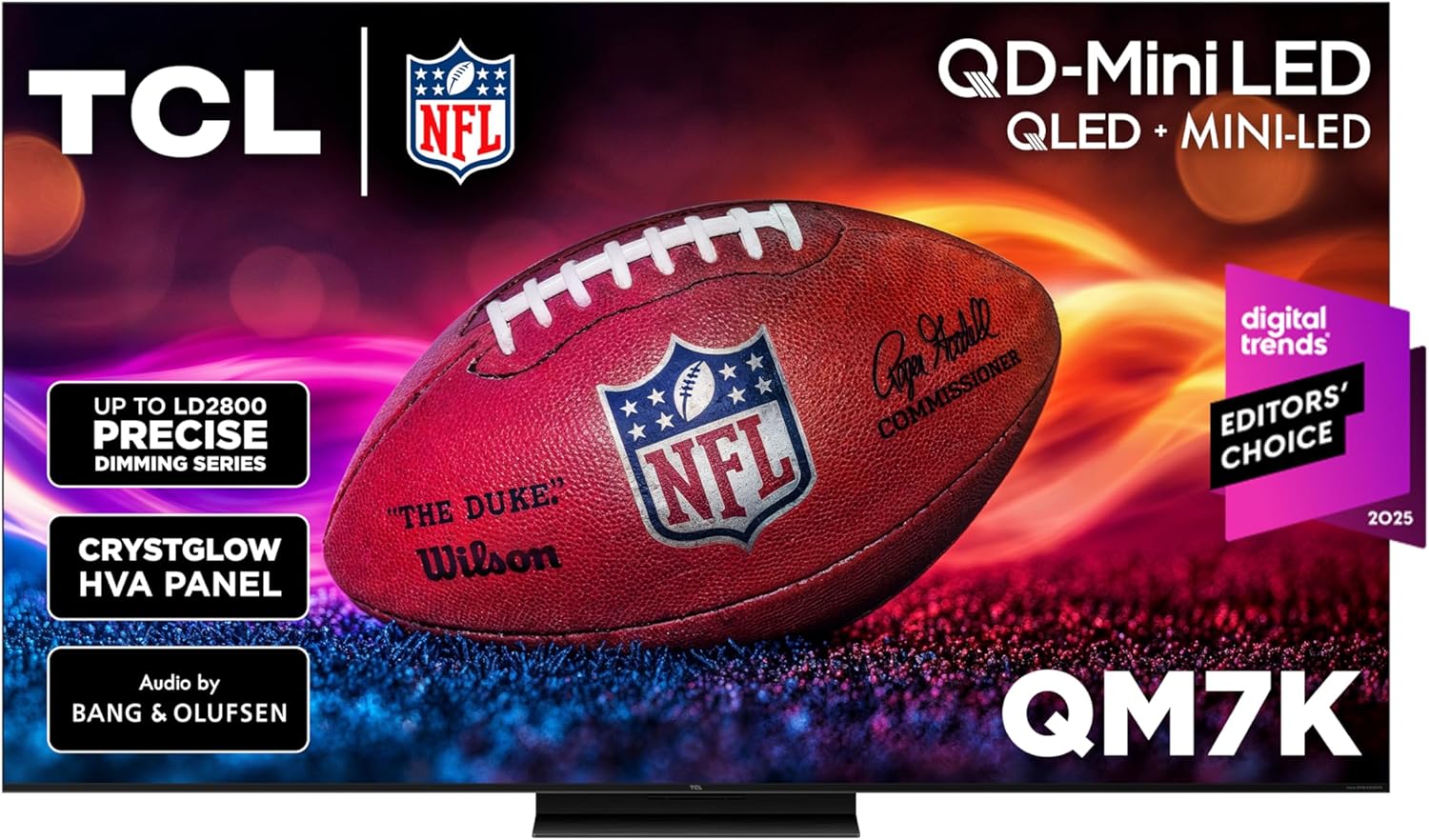
Even if your living room is as bright as a greenhouse, the TCL QM7K will keep its color accuracy and remain a great budget TV. With TCL’s QD-Mini LED tech—essentially a smarter backlight with pixel-level accuracy—you get vibrant colors that don’t fade when sunlight hits the screen, strong contrast, and a pulsating brightness.
The actual light-up is TCL’s Halo Control System, which is a technical term for the following: it is designed to prevent shiny things from transforming into distracting halos. Improved LED microchips, smaller microlenses, a shorter optical distance, and a high-contrast HVA screen all work together to make the backlight more precisely controlled, resulting in clearer highlights and darker scenes.
Additionally, it is designed for rapid action. Sports, racing, and other high-speed games benefit from a 144 Hz refresh rate, which keeps motion blur at a minimum.You may keep the light on or let natural light in without worrying about your eyestrain due to the anti-reflective screen’s ability to reduce glare, which is especially helpful in bright settings where reflections are common. You get a lot of bang for your buck when you combine Google TV for effortless streaming with Bang & Olufsen audio for better out-of-the-box sound.When other TVs start to seem worn out, the QM7K remains sharp, colorful, and halo-free in bright rooms.
5. Hisense U7 – Best Budget Gaming TV
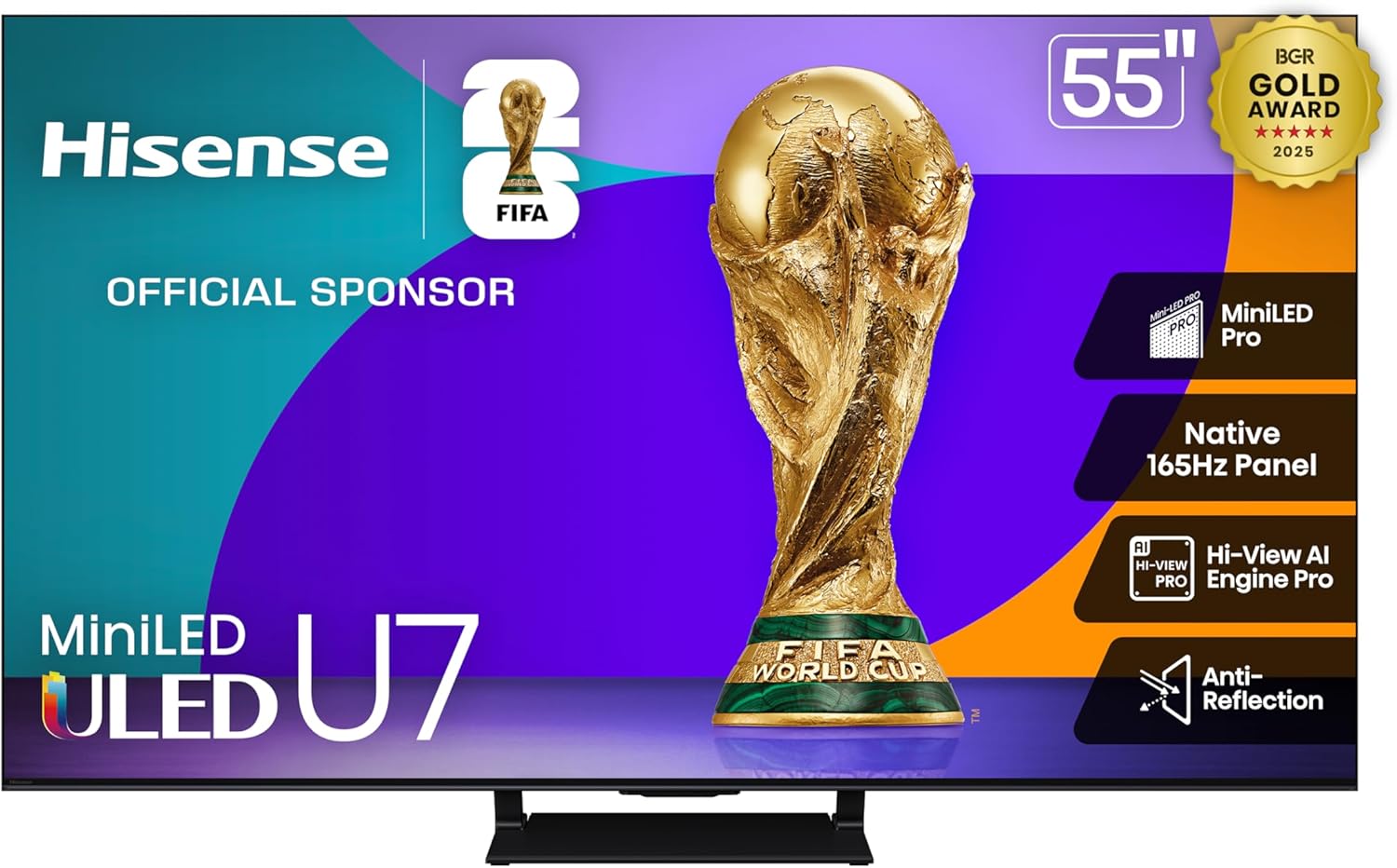
The Hisense U7 is an aggressive, low-priced gaming TV that looks and acts like it wants to force your old screen into retirement. Thanks to its Mini-LED backlighting with Full Array Local Dimming technology, thousands of small light zones can more precisely enhance highlights and darken shadows, allowing you to see more detail in shadows, more vibrant HDR pops, and less distracting halos surrounding bright objects.
As a gaming device, this one can move. While Low Latency MEMC, Auto Low Latency Mode, and AMD FreeSync Premium Pro assist reduce input lag and screen tearing, the native 165Hz panel with VRR keeps motion buttery and responsive.Your central hub for on-screen control is the Enhanced Game Bar. Instead of fiddling with menus like you’re solving a puzzle in the middle of a match, you can adjust important settings and see how you’re doing in real time all from the controller.
The Hi-View AI Engine Pro, developed by Hisense, employs artificial intelligence to optimize picture and sound depending on what you’re viewing or playing. This means that you won’t have to fiddle with the settings as often, and sports will appear sharper and games more immersive.Is it a dark room? Not an issue. With Anti-Reflection enabled, glare is reduced, allowing you to see your screen well even in brightly lit rooms.Despite its affordable pricing, the U7 seems like a high-end gaming TV thanks to its high refresh rate, little lag, and bright and aggressive design.
Things to Consider Before Buying a Budget TV:
There’s more to picking a budget TV than price alone: you should assess screen size and resolution for viewing distance, panel type and refresh rate for motion clarity, HDR support and color accuracy for picture quality, smart platform and app availability for streaming, input options and HDMI specs for device compatibility, and warranty plus return policies for long-term value – prioritize the features that matter most to your needs to get the best balance of performance and cost.
LED TVs
You’ll encounter LED (LCD) sets everywhere because they balance price and performance; expect 250-400 nits on budget models, VA or IPS panels, and basic full‑array or edge backlighting. You can find reliable options from brands like TCL and Vizio under $300-$500 for 43-55″ sizes, often with 60Hz panels and HDR10 support. If you prioritize brightness for daylight viewing, compare measured nits rather than only spec sheets to avoid disappointment.
OLED TVs
On OLED panels you gain true blacks and near‑instant response times (<1 ms), which improves contrast and motion clarity; historically, OLEDs were over $1,000 but entry models have fallen toward $700-$1,000 for 48-55″ displays. You should weigh lower peak brightness (often 600-800 nits on SDR/HDR) against the superior viewing angles and infinite contrast that enhance movie and dark‑room performance.
Because OLED is self‑emissive, you get pixel‑level dimming and exceptional uniformity-ideal for cinema‑style viewing and HDR grading. Manufacturers mitigate burn‑in risk with pixel shifting, screen savers, and usage recommendations; heavy static UI use over years raises risk, so choose an OLED with good warranty terms and use varied content or moderated brightness for daily news or gaming HUDs. Recognizing how you watch (bright living room vs. dark home theater) will determine if OLED benefits justify the price premium.
Screen Size
Measure your viewing distance and match the TV diagonal to it: for 4K panels sit about 1-1.5× the screen diagonal (a 55″ works well at ~1.4-2.1 m / 4.5-6.9 ft); for 1080p aim for 1.5-2.5×. If you have a typical 8-10 ft (2.4-3 m) living room, 55-65″ gives immersive viewing; for desks or bedrooms, 32-43″ usually provides better pixel density and fits the space.
Resolution
Resolution determines pixel count: 4K is 3840×2160 and is now common in sub-$400 TVs, while 1920×1080 remains for smaller or older sets. You’ll notice more detail on larger screens or when sitting close, and streaming services (Netflix, Prime Video, YouTube) widely offer 4K content. If you game on a PS5 or Series X, 4K delivers clearer visuals-just confirm the TV’s refresh and HDMI capabilities.
Dig deeper into 4K benefits and limits: 4K provides four times the pixels of 1080p, but budget 4K panels often have limited peak brightness and color volume, which reduces HDR impact. Check that the TV supports HDMI 2.0 for 4K@60Hz or HDMI 2.1 for 4K@120Hz and VRR if you game; also look for reliable upscaling performance because much live TV and older content is lower resolution.
Disadvantages
You should expect compromises such as limited HDR impact, 60Hz panels, narrower viewing angles on VA/IPS screens, and weaker peak brightness (often below 350 nits), which all reduce dynamic range and color pop compared with midrange TVs-so prioritize which trade-offs you can live with before buying.
In practice, testing shows many budget 4K models peak around 200-350 nits and lack full-array local dimming, so HDR scenes appear muted; input lag varies but commonly sits between 20-40 ms, which is fine for casual play but noticeable in fast competitive titles; if you rely on wide viewing angles, consider IPS panels or prioritize brands that list contrast ratio and brightness specs.
Research Before Buying
Compare model numbers across brands and consult measurement sites like Rtings and HDTVTest; you should check peak brightness (target 300+ nits for decent HDR), contrast ratio, color volume, and input lag. Read user feedback on reliability and software updates, verify the warranty length (1-3 years), and watch hands‑on reviews to judge upscaling and motion handling before you commit.
Look for Discounts
Hunt major sale windows-Black Friday, Cyber Monday, end‑of‑model‑year spring discounts-when last‑year 4K models often drop 20-40%. Check manufacturer refurbished, open‑box, and outlet listings for deeper savings, and use price trackers or browser extensions to get alerts; stacking store coupons and card rewards can shave another 5-10% off the final price.
During peak sales a midrange 55″ 4K TV commonly falls to.You should compare exact model numbers to confirm features like HDMI 2.1 and local dimming. Sign up for retailer newsletters, set price alerts on CamelCamelCamel or Honey, and consider short‑term warranties on open‑box deals to balance low cost with reasonable protection.
Cleaning Your TV
When cleaning, unplug the TV and remove surface dust with a soft microfiber; for smudges dampen the cloth with distilled water or, if your manual permits, a 70% isopropyl solution applied to the cloth (never spray the screen). You should avoid ammonia- or bleach-based cleaners and excessive pressure; wipe in gentle, circular motions and rinse the cloth frequently to prevent grit from scratching anti-reflective coatings.
Optimal Placement
Place the TV so the center of the screen aligns near your eye level-about 42 in (107 cm) from the floor for average seated viewing-and set viewing distance at 1.2-1.5× your screen diagonal for 4K models. You should avoid direct sunlight and reflections by angling the display away from windows, and leave 2-4 in (5-10 cm) clearance for ventilation to prevent thermal throttling and image shifts.
If you wall-mount, choose a bracket matching your TV’s VESA pattern (common ranges: 200×200 to 600×400 mm) and opt for tilt or articulating arms when mounting higher-5-15° tilt reduces neck strain and glare. Run HDMI 2.1 cables under 2-3 m for full bandwidth, keep ports accessible for game consoles, and add ~10% luminance bias lighting behind the screen to improve perceived contrast without altering calibration.
Conclusion
Ultimately, when buying a budget TV you should weigh picture quality, resolution and HDR support against screen size and viewing distance, assess the smart platform and input options, check refresh rate and motion handling for content you watch, compare audio performance and warranty terms, and prioritize brands or models that deliver consistent reviews so your purchase balances performance, longevity, and value.
Leave a Reply