
Finding the best tablets for seniors can feel overwhelming, especially when tiny text, confusing menus, and complicated setup get in the way. This guide highlights easy-to-use tablets with clear displays, simple controls, and helpful accessibility features. Whether you want to video chat with family, read comfortably, or enjoy favorite shows, you’ll find options that fit your needs and budget. Let’s explore the top picks and what makes each one stand out.
Top 8 Tablets for Seniors:
1: Amazon Fire HD 8

The Fire HD 8 is our top pick since it’s the easiest method to set up video calling with a parent this week.Alexa video calling, an 8-inch HD screen, 11.9 ounces, 4 GB of RAM, 64 GB of storage (expandable to 1 TB), a 13-hour battery life, and other specifications are key.The convenience of just saying “Alexa, call Sarah” rather than navigating options is a selling point.
The 1280 by 800 screen seems small in comparison to everything else, lock-screen advertising are included as usual, and there isn’t a Google Play Store, so certain familiar apps aren’t available. These are the things they don’t tell you.For new users whose primary needs are voice calls, ebooks, and Alexa, this is the best option. Requires a larger, sharper screen; not suitable for: people with impaired eyesight.This line-up begins with the most user-friendly tablet.
2: Amazon Fire HD 10

The concept remains the same, but the canvas is larger; and for eyes that are getting on in years, those additional two inches mean the world.Notable features include a 13-hour battery life, a 5MP front camera, an octa-core processor, 4GB of RAM, and a 10.1-inch 1080p display.In addition to being 25% quicker than its predecessor, the HD 8 has substantially finer text and picture quality.
Cons: it weighs 15 ounces, has just 24 GB of useful storage, has the same lock-screen advertisements, and doesn’t have the Google Play Store. Plus, it tired out one hand when sleeping.Apt for: couch potatoes 65 and up who enjoy streaming TV, reading ebooks in large print, and making video calls. Avoid: households dependent on Google products.There isn’t a better big-screen entry-level tablet on this market.
3: Samsung Galaxy Tab A11+

If you upgrade to Tier 2, you’ll be able to use the complete Android experience rather than Fire OS.A few important specs: a front-facing 5 megapixel camera, 6 GB of RAM, 128 GB of extendable storage, and Dolby Atmos speakers.Customers rave about the speakers, saying they are a lifesaver for those who have trouble hearing on other video conversations.The 5MP front camera doesn’t look as sharp on video chats as the iPad’s, and there’s no support for the S Pen.
Additionally, Samsung includes duplicate apps from Google and Samsung, which can be confusing for novice users.Users looking for a large, audible screen and simple picture sharing will love this Android device. Those who aren’t comfortable in unfamiliar environments should not attempt this.The line’s most intelligent general-purpose Android tablet.
4: Apple iPad 11-inch (A16)

This is the tablet that professionals recommend when ease of use is paramount.Notable features include an 11-inch Liquid Retina display, an A16 CPU, 128GB of storage, a 12MP landscape main camera, Touch ID, and a battery life that lasts all day.Even when Grandma moves around in her chair, the landscape camera will keep her face in the center of FaceTime, and iPadOS is generally considered the easiest operating system for newcomers.
A16 chips do not support Apple Intelligence, there is no jack for wired headphones, and you may buy the Apple Pencil and keyboard separately. So, that’s the reality check.Those with iPhones and a desire for reliable photo sharing and FaceTime will find this the best option. Android homes are not meant for this.This is the one I’d recommend; it’s the easiest tablet to give someone and then you can relax.
5: Apple iPad mini (A17 Pro)

Unlike the others, this one packs flagship performance into a coat-pocketable tablet.Important features include a 12.0-megapixel front camera, 128GB of storage, Wi-Fi 6E, Apple Intelligence, and an 8.3-inch Liquid Retina display.It’s quick, it’s lightweight, and you can handle it one-handed for hours. Boarding passes, maps, and images are some of the most popular items among travel buyers.
The truth is that an 8.3-inch screen isn’t great for older eyes, that zooming in requires continual scrolling, that the front-facing camera isn’t perfectly centered for landscape video chats, and that the Apple Pencil Pro costs extra.The ideal travel companion for active, perceptive seniors. Those who have poor eyesight or who read mostly in the comfort of their own home should not use this.A fantastic tablet, but too little for the majority of elderly people.
6: Samsung Galaxy Tab S10 FE+

Here we have the polar opposite: the largest Android screen available in this range.Specifications: 13.1-inch screen with a resolution of 2880 x 1800, 90Hz refresh rate, water resistance to IP68, integrated S Pen, Exynos 1580 processor, and the ability to extend storage.You can easily raise the font size without affecting the arrangement of the page-sized screen that displays recipes, news, and video calls. IP68 protects against dust and water, and the S Pen makes it easier for clumsy fingers to press tiny buttons.
Important details: the screen is an LCD, not an AMOLED, so in low light it will appear yellowish; it is too large to be held with one hand; and the mid-range Exynos processor becomes sluggish when multitasking intensively.Ideal for: elderly people with limited vision who read cookbooks, newspapers, or music scores. Avoid: tourists.A large, accommodating screen for eyes that are getting on in years.
7: Samsung Galaxy Tab S11

Here at the flagship level, the screen is the main selling point.Important features include an 11-inch Dynamic AMOLED 2X screen, Vision Booster, 12GB of RAM, an integrated S Pen, water resistance (IP68), a small profile (5.5 mm), and support for microSD cards.Even on a sunny porch, you can read the writing with the help of Vision Booster since it increases contrast in bright light. When it comes to family portraits, reviewers rave about the AMOLED panel’s vivid colors and deep blacks.
The 11-inch screen isn’t as big as the S10 FE+’s, and the additional menus added by Galaxy AI can be confusing for newcomers. What’s more, the flagship power isn’t used much for making calls or checking email.Ideal for: elders who are comfortable with technology and who possess Samsung phones and are looking for the greatest Android screen. The following are not appropriate for: complete novices.Lovely, sturdy, and designed to last for years to come.
8: Apple iPad Air 13-inch (M4)
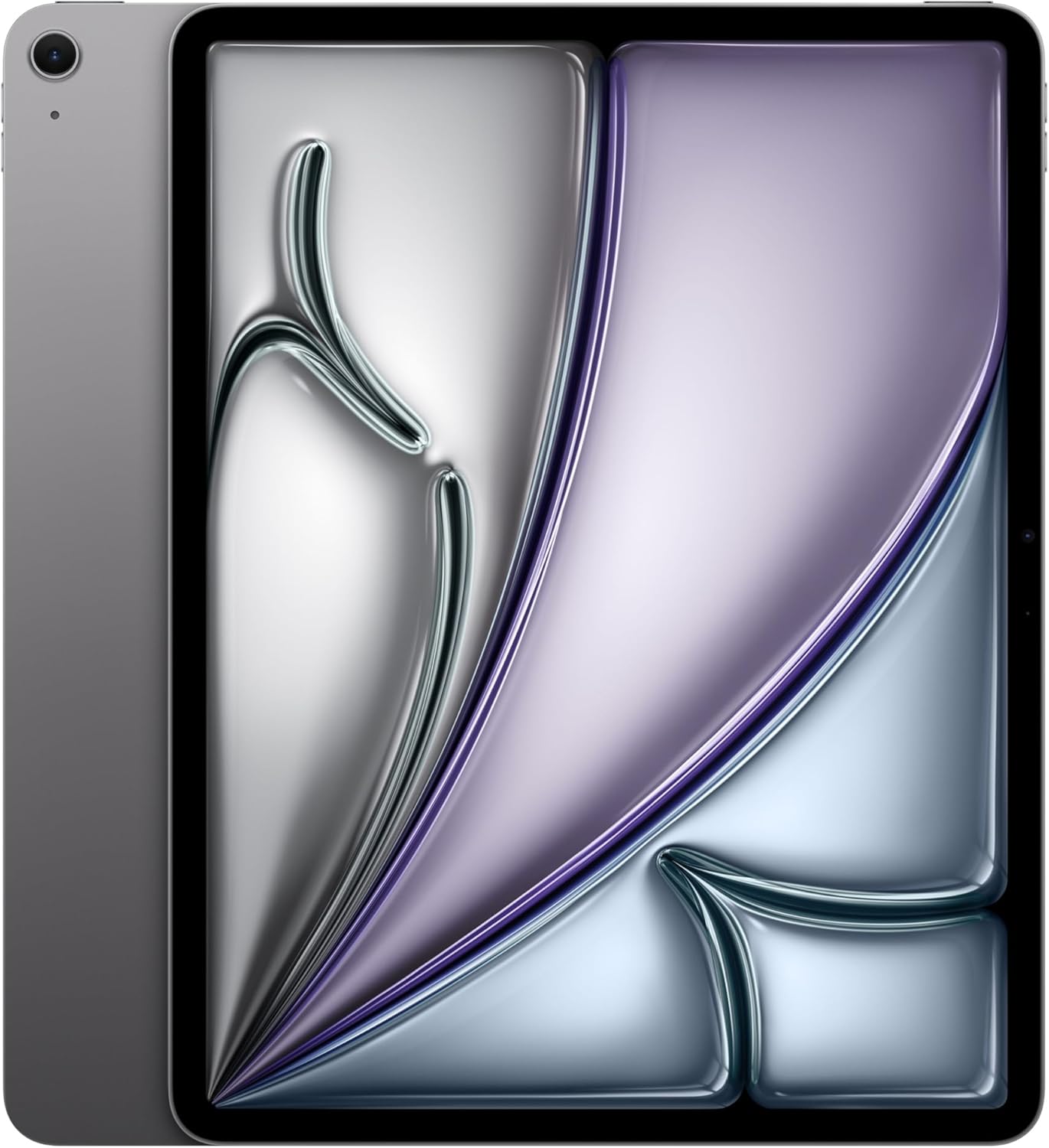
Finally, the iPad for families looking for Apple’s largest screen without breaking the bank on the Pro.Specifications: Wi-Fi 7, a 12-megapixel landscape main camera, Touch ID, an M4 processor, Apple Intelligence, a 13-inch liquid retina display, and so on.By measuring thirteen inches, you can get nearly life-size images of expanded text, magazine pages, even FaceTime faces. The M4 chip and Apple Intelligence ensure that it remains fast and supported for an extended period.
Cons: the screen isn’t as sharp or contrasty as the iPad Pro’s (60Hz vs. OLED), it’s too hefty to handle for extended periods of time while reading in bed, and you have to pay extra for the Magic Keyboard and Pencil.Perfect for: once every ten years presents, elderly with low vision, and Apple homes. If you like to use one hand, this is not the thing for you.For elders, the greatest iPad with a huge screen, hands down.
Things to Consider Before Buying a Tablets for Senior:
Choosing the right tablet for a senior can enhance their connectivity and daily activities. Understanding specific needs, such as ease of use, screen size, and accessibility features, functions as a foundation for making a wise purchase. With the right information, you can ensure the technology enriches their experience.
iPad, Android, and Simplified Tablets
iPad and Android tablets offer a range of functionalities that enable seniors to engage in various activities. The iPad typically boasts a seamless user interface with robust app availability, making it suitable for video calls, streaming, and social media. Conversely, Android tablets often come in diverse models, catering to budget preferences while still supporting essential apps. Simplified tablets, like the GrandPad, minimize complexity by featuring larger icons and voice-assist capabilities, allowing seniors to navigate easily without feeling overwhelmed.
Wi-Fi-only versus Cellular Models
Considering connectivity options is essential when selecting a tablet. Wi-Fi-only models depend on wireless internet networks, making them more affordable and suitable for users primarily engaged at home. However, cellular models provide the flexibility to access the internet on the go, ideal for seniors who may want to stay connected during outings. Monthly cellular plans may increase costs, so it’s advisable to assess usage needs and budget constraints before making a decision.
Screen size, weight, and battery life
Screen size significantly impacts readability and the overall user experience. Larger displays, typically around 10 inches, offer clearer text and easier navigation for seniors with vision challenges. Weight is another important factor; lightweight models allow for easy handling and portability. Battery life should also be considered, with options providing at least 8-10 hours of use on a single charge proving beneficial for uninterrupted usage throughout the day.
Ease of use, accessibility, and support
Intuitive interfaces and clear navigation are essential for seniors who may not be tech-savvy. Tablets featuring simplified menus and larger icons can enhance usability. Accessibility settings, like text-to-speech and adjustable font sizes, can further aid those with visual impairments. Additionally, robust customer support, including helpful tutorials and responsive service, ensures that users have assistance when adapting to their new device.
Match Features to Everyday Activities
Identifying a tablet that aligns with daily interests is essential. For example, a senior who enjoys video calls should prioritize models with high-quality cameras and microphones, while those who enjoy reading may benefit from larger screens and adjustable brightness settings. Features like voice assistant integration can also enhance convenience, allowing for easier navigation and interaction.
Check Compatibility, Warranty, and Price
Ensuring compatibility with existing devices can prevent future disappointments. Look for tablets that can easily connect to smartphones, computers, or smart home devices. Warranty offerings might vary significantly, so opt for brands that provide at least a year of coverage. Establish a budget beforehand and compare prices across different retailers to find the best deal without sacrificing quality.
Define needs and set a budget
Identifying specific needs is the first step in this buying process. Consider what tasks the tablet will primarily serve, whether it be video calling, browsing, or reading. Setting a budget based on these needs allows for a focused search, preventing overspending on unnecessary features. Most tablets range from budget-friendly options to premium models, so establishing a financial limit early on can help narrow down choices effectively.
Compare models and test usability
Evaluating different tablet models is essential in finding the right fit. Prior to making a purchase, visit a store to physically handle the devices. Testing features like screen size, weight, and ease of navigation can provide valuable insights. Consider how comfortable the tablet feels, along with the responsiveness of its interface. This direct engagement allows for a more informed final decision and ensures that the chosen tablet meets usability expectations.
Benefits for Communication and Entertainment
Tablets significantly enhance communication, enabling seniors to engage in video calls, messaging, and social media. Features such as easy-to-read screens and voice recognition cater to accessibility, allowing for effortless interaction with loved ones. Entertainment options abound, from streaming services to e-books, ensuring that seniors can enjoy a variety of activities from the comfort of home. These devices serve as a bridging tool, connecting generations and fostering relationships through shared experiences.
Potential Drawbacks and Ways to Address Them
Costs and complexity can present challenges when considering a tablet for a senior. High-end devices may strain budgets, while intricate navigation can deter use. Establishing a clear setup process and utilizing user-friendly apps can mitigate these issues. Training sessions with family members can also help ease the learning curve, making the tablet more approachable. By addressing these drawbacks, the benefits can be fully realized, leading to a more enriching experience.
Conclusion
Choosing the right tablet for a senior requires careful consideration of several factors. Prioritizing user-friendly interfaces, display size, and battery life can significantly enhance their experience. Features such as adjustable font sizes and accessibility options are also beneficial for those with visual impairments. Evaluating the available apps for communication and entertainment plays an important role in maintaining social connections and engaging activities. Each of these considerations can lead to a smarter purchase that ultimately enriches their daily life.
Leave a Reply