
Finding the best 4K HDMI cable can be frustrating. You invested in a brilliant 4K TV, but a cheap cord can rob you of the stunning, crystal-clear UHD picture you paid for. Don’t let a simple cable bottleneck your system’s performance. We’ve tested the top high-speed options to help you find the perfect match for flawless gaming and movie nights. Let’s dive into the cables that will finally unlock your home theater’s true potential.
Top 5 4K HDMI Cable:
1. Anker HDMI Cable – Best 4K HDMI Cable Overall
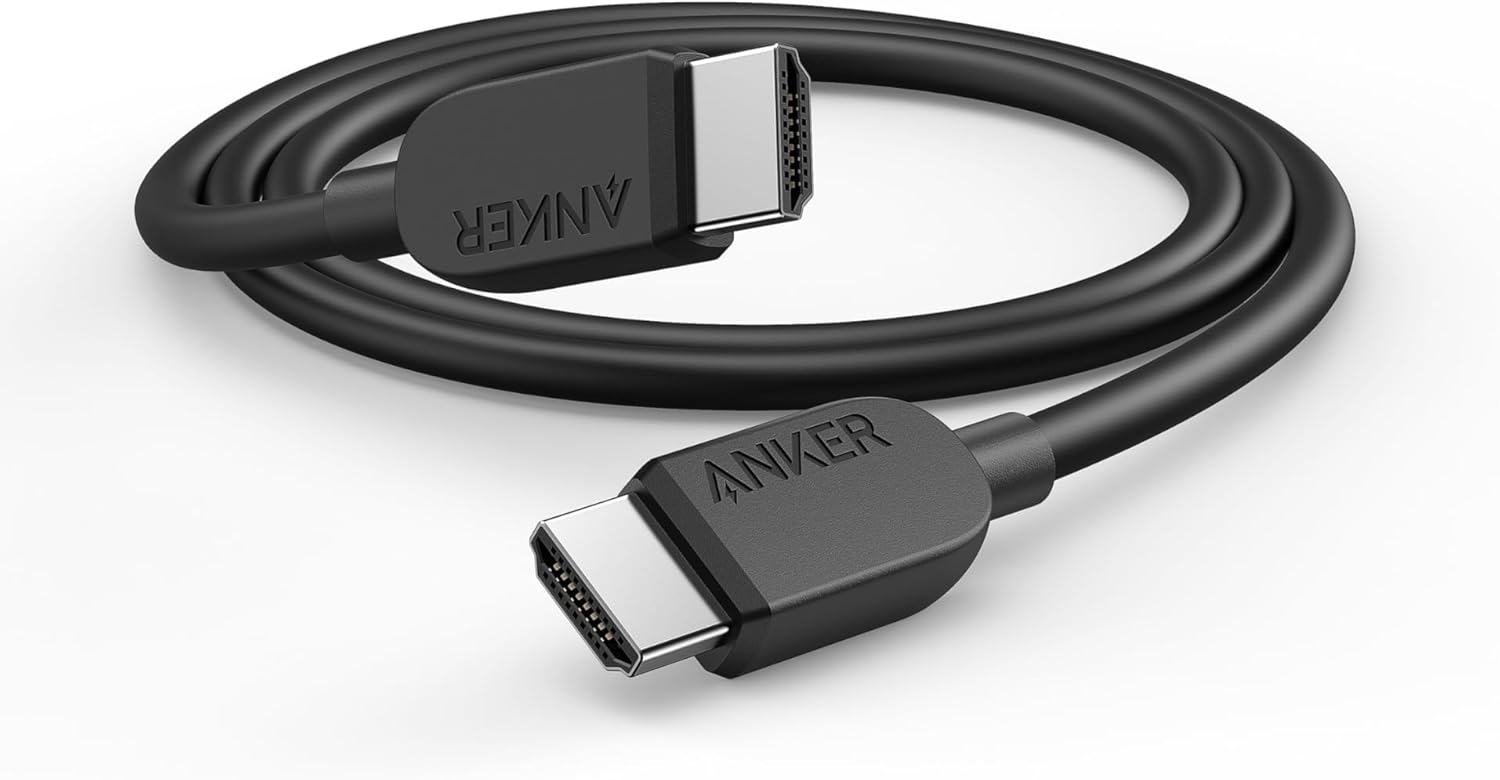
If you want your 4K setup to look like it’s actually 4K (and then some), Anker’s 8K HDMI Cable is your no-drama upgrade. You have headroom for 8K@60Hz when you’re ready to climb into the holographic pants of digital avatars, and 4K@120Hz provides slick and resistance-free motion that’ll take taxing games and action scenes from ridiculously jerky to ridiculously smooth. It gets data from source to screen faster and better than any other connection, with no loss of signal or detail just straight high definition.
You want gear that makes it out the other side of real life, not just spec sheets. This cable is tested to withstand up to 1,000 bends so it’s safe to wrap around those tight TV city mounts, or you can throw them in your travel bag knowing they won’t be damaged by your curious pet. No more rituals of “wiggle the connector and pray.” Just plug, play, and relax.
Versatility? You’re covered. Pair it with your TV for movie night, your laptop for work, your projector for big-screen thrills or a console to bring next-gen gaming to the Dolby Vision-sphere. Tablets, desktops, HDMI streamers — if it talks HDMI, you’re good to go. One cable, zero drama.
And since the details matter: The latest HDMI tech enables Dynamic Metadata, which is used to optimize how metadata is sent to your TV — giving you an optimized picture for gaming, video streaming and more.
You bring fabulous content, and this cable adds the clarity, speed and stay power! If you’re looking to set-and-forget a top-notch signal that won’t flake when it matters, Anker’s 8K HDMI Cable is the low-effort, surefire, future-proof option you’ll never look back from.
2. looyotul HDMI Cable – Best Long-Length 4K HDMI Cable

If your TV is on one wall and and your gear’s in another zip code, the looyotul Long-Length 4K HDMI Cable steps in as translator without breaking a sweat. You receive crunchy 4K@60Hz for the upsurge on movie nights and streaming time, followed by buttery smooth 2K@120Hz on gaming sessions when existence of lag is unacceptable. Its HDMI 2.0 core ensures you can push maximum 18Gbps to get every pixel signal of worth VIP entrance Directly – No need for any reception counters, no Common glitches or commonton lines required at all.
You’re not just pairing devices; you’re also streamlining sound. And with ARC support, your TV can send audio back to your soundbar or receiver on the same cable. One cord in, one cord out, no menu gymnastics.
Durability? It’s constructed as though the manufacturer actually expected it to be used. With a premium aluminun-alloy shell, dings are shrugged off and the anti-bending tail relieves commencement at the spot most cables tend to break. And the 24K gold-plated connectors ensure a high quality, corrosion free connection so your picture and sound will keep coming through crystal clear.
And because long goes toe-to-toe with real-world grime, the nylon-braided jacket is tough, tangle-resistant and built to take a beating — water resistant, mildew resistant and cool with higher temps. Run it through a wall track, coil it around furniture or even stretch it to ceiling projector; It’s game.
Want a high-speed, really long cable? This is the one you plug in and forget — until someone asks why your system simply works.
3. Silkland HDMI Cable – Best Certified Ultra High Speed HDMI Cable

If you’re tired of babysitting flakey cables, the Silkland Ultra High Speed HDMI is here to play grown-up for your rig. It’s fully HDMI 2.1 certified — scan the QR code to look it up and see — so guess work is out for every pixel and decibel you paid for.
You play hard? Good. This cable to keep up: 4K@120Hz on PS5 and Xbox for next-gen gaming, 4K@144Hz on PC for no-limit smooth motion, and support far into future formats including 8K@30 Ultra High Definition video (pictured) and a new mind-blowing 10K for the most extreme HDMI toys. With monster Bandwidth of 48Gbps, your gaming experience will be Optimized, and you won’t lose connection racing to the finish No optimisation required.
Durability isn’t an afterthought here. Silkland’s proprietary E-Braid construction that adopts a dual layer fishnet wrap is also on hand with tough nylon braiding, copper cores and ferrite beads to shut down interference. Translation: Nice signal, no random black screens and counter-flicker fest.
Audio snobs, rejoice. Support for DTS:X and Dolby Atmos, plus eARC support: Your soundbar or AVR will now receive a full lossless feed — not the diet version. One cable does video fireworks and theater-grade audio And without having to juggle settings or Gymnastics with one extra cord.
From PlayStation, Xbox and Switch to Roku, laptops, monitors, TVs and sound bars (sound bar not included), it’s your plug-and-play peacemaker. You want simple? You get simple. You want performance? What you get is performance — now and for later, when you upgrade.
4. Highwings HDMI Cable – Best Popular 48Gbps Braided HDMI Cable

If you need your TV to flex more than your console can even handle, pick up the Highwings 8K HDMI Cable and let it flex. You get a real Ultra High Speed link—48Gbps of bandwidth—so your movies stop ☒ and your games come to life. Translation: buttery-smooth 8K at 60Hz and razor-sharp 4K at 120Hz with none of the drama.
You play to win? Good. This cable speaks gamer: variable refresh rate keeps motion silky, so panning scenes and quick reactions feel lightning-quick. It wrings out every last bit of potential from your GPU and CPU, then throws you the keys.
Their durability is not an afterthought, but rather the outfit itself. Its braided, military-grade nylon jacket is resistant to desk snags and bedroom elves, while the upgraded anti-bending tail end up’s enduring in stress where most cables simply break. Throw it behind a wall-mount, into a stand (with gaff tape), or through a snare; this cable has been tested against your basement-bar gigs and top-chef open houses—stage to table.
Compatibility? You’re covered. Plug it into your 4K or 8K Blu-ray player, monitor, PlayStation 5, Sky Q box or TV and off you pop. Highwings’ signal processing ensures each and every pixel is kosher, all the colors are in check so you do get to see what you paid for.
You pop the popcorn; this cable pops the frames. High speed, high style and no fuss.
5. Amazon Basics High-Speed HDMI Cable – Best Budget 4K HDMI Cable

If you’re after a solid 4K cable that is guaranteed to work each and every time without the drama, then this Amazon Basics High-Speed HDMI has got you covered. You plug it in, it behaves. That’s the skinny — and it delivers.
You’re getting true 4K at 60Hz with up to 48-bit color depth, so your movies, games, and maps are pixel-perfect and A-OK. The 18 Gbps bandwidth also allows you to enjoy high frame rate movies, while at the same time being able to support all of the detail and color in your HDR content; having support for 3D means that, unlike with many other audio and video products, you’ll still be able to use some of your favorite older movies on Blu-ray that are in 3D. With Audio Return Channel (ARC), you’ll enjoy a clearer, simpler experience because ARC uses one HDMI connection to send audio from your TV (streaming apps or connected devices) to the sound bar on the same cable that sends audio from the sound bar to the TV.
Hookups are simple: HDMI to HDMI, the end. Laptops, desktops, Tvs, projectors and gaming consoles all play nicely with it — no funky adapters or voodoo required. It features built-in Ethernet which lets you can share an internet connection among multiple devices, so only have to connect one wire; Up your TV game with the optional port expansion module and add A USB media playback reader (sold separately)
High Speed spec? Yep. Reliability? It’s the whole point. You want a cable that simply disappears quietly into your setup and does the job, no flicker, no handshake hissy fits, no “why is it purple now?” moments.
So, for adopting 4K or replacing a flaky cord it’s “add to cart and move on with your life.” Put your energy into deciding what you’re going to watch, rather than worrying about whether the cable can handle the bandwidth.
Things to Consider Before Buying a 4K HDMI Cable:
You should verify that the cable supports the HDMI version and bandwidth required for your 4K setup—HDMI 2.0 for 60Hz HDR or HDMI 2.1 for 120Hz, VRR, and eARC—check certified ratings, adequate length without signal loss, solid shielding and connectors, and compatibility with your source and display to ensure reliable, future-proof performance.
Standard HDMI Cables
If your setup uses older players or streaming sticks, standard HDMI (Category 1) usually suffices for 720p and 1080i content; you’ll see them priced under $10 and they rarely support 4K, so avoid them for UHD sources, especially when you want higher refresh rates or HDR on your display.
High-Speed HDMI Cables
When you need basic 4K support, High-Speed (Category 2) cables offer up to 10.2 Gbps bandwidth, which handles 4K@30Hz, 1080p at high frame rates, and Deep Color; you should pair them with devices that don’t require 4K@60Hz HDR or advanced HDMI 2.1 features.
For shorter runs under about 5 meters, passive High-Speed cables commonly deliver stable 4K@30Hz performance, but signal degradation rises with length; if you want 4K@60Hz with HDR or need runs beyond 5–7 m, opt for Premium certified, active, or optical solutions and check manufacturer bandwidth claims and compatibility with your source and display.
Cable Length
Signal loss grows with length: passive HDMI 2.0 cables reliably carry 4K@60Hz up to about 5–7 meters (16–23 ft), while full 4K@120Hz often needs shorter runs or active/fiber solutions. If you require 10–30 meters, choose active copper or optical HDMI to maintain bandwidth; inexpensive long cables may drop to 1080p or reduce color depth. Always test the chosen length with your gear before final installation.
Compatibility with Devices
You should verify device specs: consoles like PS5 and Xbox Series X need HDMI 2.1 for 4K@120Hz, and GPUs (NVIDIA RTX 30/40 series) rely on FRL and 48 Gbps signaling. TVs and AV receivers must support eARC and HDCP 2.3 for lossless audio and modern streaming; check port labels and firmware to ensure full feature support from your cable.
In real setups you’ll find HDMI 2.1 cables are backward compatible with older ports but will default to the lower version’s limits; similarly, a 4K@120Hz workflow requires source, cable, and display all supporting FRL/48 Gbps. HDCP handshake issues often surface with older receivers—updating firmware, switching ports, or using manufacturer-approved cables can resolve them. For mission-critical installs, test the exact source, display, and receiver together to confirm HDR, VRR, and eARC functionality.
Advantages
If you choose the right cable, you get full 4K experiences: HDMI 2.0 (18 Gbps) handles 4K@60Hz with 4:4:4 chroma, while HDMI 2.1 (48 Gbps) unlocks 4K@120Hz, VRR, ALLM and eARC for consoles like PS5/Series X and high‑end PCs; certified Ultra High Speed cables routinely deliver these features over short runs (≤3 m), ensuring HDR metadata, wide color gamut and lossless audio pass through without handshake issues.
Disadvantages
Bandwidth and distance are the main limits: passive cables often struggle beyond ~10 m, older HDMI versions cap refresh rates or chroma, and active/fiber solutions that solve length cost significantly more; additionally, mismatched device firmware or non‑certified cables can cause handshake failures, dropped HDR, or reduced color fidelity despite appearing connected.
In practice you’ll see edge cases: a cheap cable might show 4K image but drop from 4:4:4 to 4:2:2 at high refreshes, producing color banding in gradients; some TVs use compression or lower chroma to reach advertised modes, and only certified Ultra High Speed cables consistently carry uncompressed 4K HDR at high frame rates—testing with your specific console/TV or checking vendor certification avoids surprises.
Certification Standards
You should prioritize certified cables: “Premium High Speed” validates 18 Gbps performance for 4K@60 HDR and chroma 4:4:4, while “Ultra High Speed” (48 Gbps) covers 4K@120, 8K@60, VRR, and eARC; look for the official logo from HDMI Licensing Administrator and test reports or batch numbers when possible to ensure the cable meets lab-verified specs.
Overlooking Specifications
You must verify HDMI version, bandwidth, and HDCP support rather than trusting labels. HDMI 2.0 provides up to 18 Gbps for 4K@60Hz; HDMI 2.1 raises that to 48 Gbps for 4K@120Hz and 8K. Also check HDR formats (Dolby Vision vs HDR10), eARC for multi‑channel audio, and HDCP 2.2/2.3 for streaming. If you plan 4K gaming at 120 Hz, only a true 48 Gbps cable and ports will deliver the full experience.
Final Words
Considering all points, you should prioritize HDMI version and bandwidth, proper length, build quality, device compatibility (HDR formats, eARC, VRR), and certified performance to avoid signal issues or future upgrades; compare reviews, price, and warranty so you get a reliable cable that meets your current setup and foreseeable needs.
Leave a Reply